Neebify Neebify
Inbox Management

Manage every outreach reply from one focused sales inbox

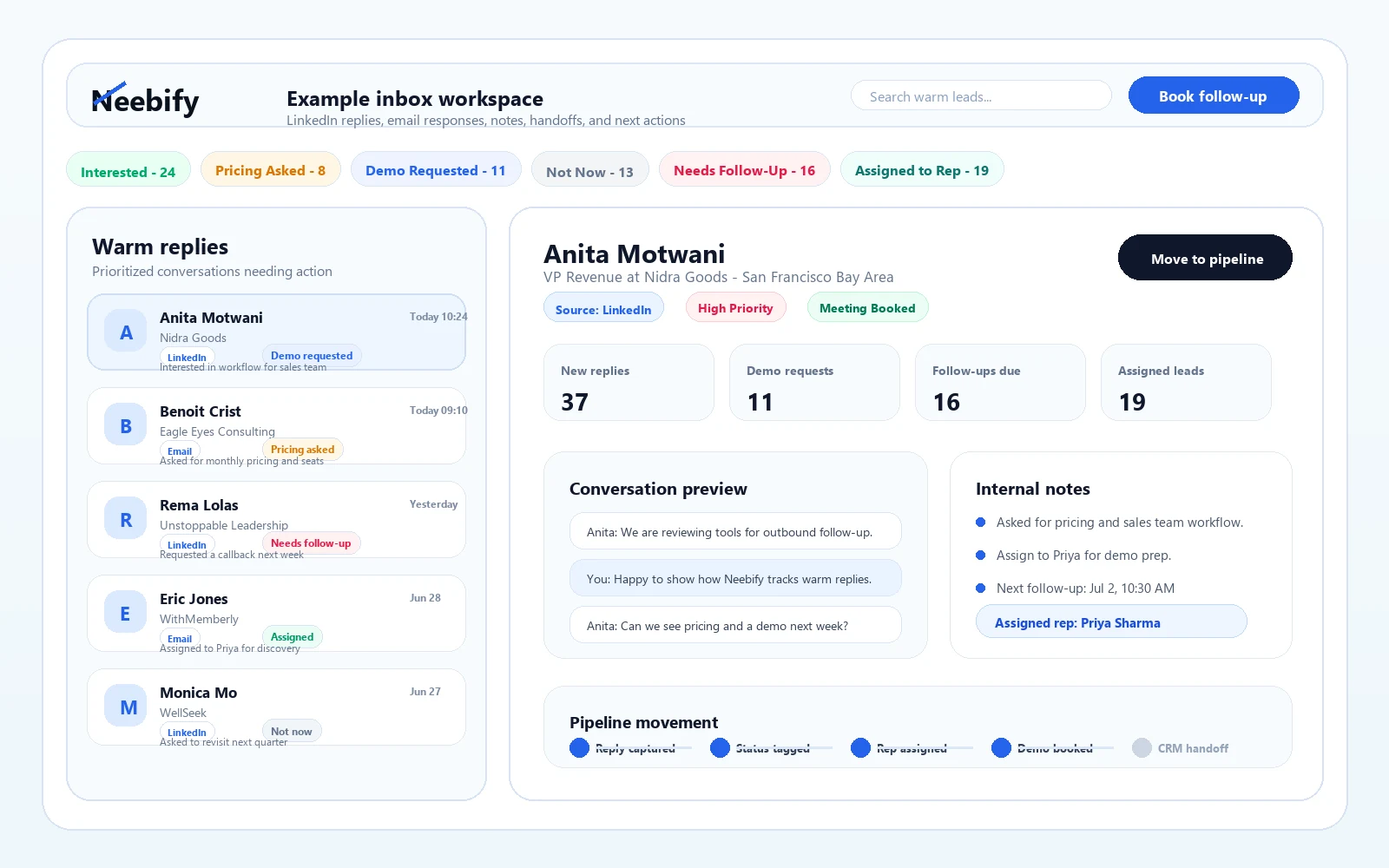
Bring LinkedIn replies, email conversations, lead context, notes, and next actions into one clean workspace so reps can respond faster and close more conversations.

1
unified reply hub
Fast
lead context
Zero
lost follow-ups
NeebifyInbox Management workspace
Ready to scale
Command layer
Inbox Management
1
Centralize replies
2
Prioritize conversations
3
Add notes and context
4
Move leads forward
118 replies
Centralize replies
LinkedInEmailLead
32 priority
Prioritize conversations
WarmUnreadIntent
Full context
Add notes and context
NotesStatusSource
18 meetings
Move leads forward
QualifyBookHandoff
How it creates the AHA moment

A simple process users can understand in seconds

Each stage shows the input, the automated work Neebify performs, and the output your sales team can act on.

The AHA
The inbox is where automation becomes sales pipeline. Every reply needs context, ownership, and a clear next action.
Best for
Teams running multiple outreach campaigns that cannot afford to lose warm replies.
Result
Faster responses, cleaner follow-up, better qualification, and fewer conversations slipping through.
Step 1

Centralize replies

Route LinkedIn and email responses into a focused inbox designed for sales conversations.

LinkedInEmailLead
118 replies
Output
Step 2

Prioritize conversations

Filter warm replies, unread messages, booked meetings, objections, and high-intent leads.

WarmUnreadIntent
32 priority
Output
Step 3

Add notes and context

Keep campaign source, prospect details, internal notes, and status close to every conversation.

NotesStatusSource
Full context
Output
Step 4

Move leads forward

Reply, qualify, book calls, archive cold threads, or hand off the conversation to the right teammate.

QualifyBookHandoff
18 meetings
Output
Feature depth

A complete product-led workflow for every feature

Each capability gets a clear workflow, focused visual context, and practical next step so users understand the value quickly.

Lead-focused inbox

See outreach conversations without unrelated personal inbox noise.

Reply filters

Surface interested prospects, unread replies, and active opportunities quickly.

Conversation notes

Leave context on prospects so teammates can pick up smoothly.

Status tracking

Mark prospects by stage, intent, and next action.

Team handoff

Keep owners, closers, and managers aligned around live conversations.

Campaign context

Understand which sequence and message generated the reply.

Ready when your team is

Turn inbox management into a repeatable growth workflow

Launch with a clear workflow, measure what happens, and keep improving the path from prospect data to qualified conversation.

1
unified reply hub
Fast
lead context
Zero
lost follow-ups
Open the sales inbox
Cold Email FAQ

Everything your team asks before launching email outreach

A modern view of sender setup, follow-up logic, personalization, replies, and campaign performance before your first sequence goes live.

Sender setup
Follow-up timing
Warm replies
Live workflow
Email campaign health
97%
verified contacts
3-step
follow-up path
1
Import leadsActive
2
Verify emailReady
3
PersonalizeReady
4
SendReady
5
Route replyReady

Ready to send with verified leads, reply-aware automation, and clean inbox routing.

Answer spotlight

What is inbox management in Neebify?

It is a dedicated workspace for managing outreach replies, lead context, notes, and next actions.

Deliverability Personalization Inbox replies